

Introduction: Finding the Perfect Home Office Design Inspirations
Working from home has become a part of everyday life, making a functional and comfortable workspace more important than ever. The right home office design ideas can help you create a space that improves focus, productivity, and comfort while complementing your home’s style.
From small workspace solutions and ergonomic furniture to smart storage and effective lighting, thoughtful design can transform almost any area into a productive home office. Whether you prefer a minimalist, modern, or cozy look, the goal is to create a workspace that works for both your lifestyle and daily routine.
Article Summary
- A successful home office should be designed around how you actually work, not only how you want the room to look.
- Ergonomics, monitor placement, lighting, storage, and power access should be considered as one connected system.
- Modern home offices should also account for video calls, camera backgrounds, privacy, and changing daylight conditions.
- Flexible furniture, adaptable storage, efficient lighting, and future-ready electrical planning can make a home office easier to update over time.
- Biophilic elements such as natural light, greenery, and views can be incorporated as part of a broader strategy for creating a more restorative workspace.
- For larger transformations, professional home remodeling and interior design expertise can help integrate functionality, aesthetics, and long-term usability.
Transform Your Space with BUILPIRE – Book Your Consultation Today!
The Essentials of a Great Home Office
When diving into home office design inspirations, start with the basics: a good desk, a comfortable chair, and adequate lighting. The desk should offer enough surface area for your computer, documents, and any other tools you frequently use. An ergonomic chair is vital for maintaining posture and avoiding back pain. Natural light is ideal, but if it’s not available, opt for a daylight lamp to reduce eye strain.
Design Your Home Office Around How You Actually Work
The best home office design starts with your work habits, not with a furniture catalog. Before choosing a desk, shelving, or decorative style, think about how you actually use the room throughout the day. Someone who spends eight hours writing at a computer will have different needs from a designer working with multiple monitors, a business owner taking frequent video calls, or a professional who needs space for paperwork and client meetings.
Start by identifying the activities that happen most often in your workspace. Your primary task should determine where the desk, monitor, lighting, storage, and power access are positioned. This creates a more efficient layout and reduces the need to constantly move between different areas of the room.
Ergonomics should also influence the layout from the beginning. OSHA recommends arranging computer workstation components to support neutral body positions rather than forcing the user to adapt to an unsuitable setup. Your chair, desk, monitor, keyboard, and mouse should work together as one system rather than being selected independently.
If you regularly use a laptop, for example, consider how the screen height and keyboard position interact. A laptop can create a compromise between proper screen height and comfortable hand positioning, so an external keyboard and mouse combined with an elevated screen can create a more practical workstation.
The same principle applies to storage. Frequently used items should remain within easy reach, while documents and equipment used less often can be stored farther away. This simple distinction can make a small office feel significantly more organized without adding more furniture.
Before finalizing your home office layout, test the room using your real equipment. Sit at the desk, position the monitor, open the laptop, make a video call, and move through your normal workflow. A layout that looks impressive in a photo may not be the layout that works best for the person using it every day.
There is no one-size-fits-all computer workstation. OSHA recommends adjusting the placement of the monitor, keyboard, chair, and other components to support neutral body positions and reduce unnecessary physical strain. Use this principle when planning your home office instead of choosing furniture based only on appearance.
Minimalist Designs for Maximum Focus
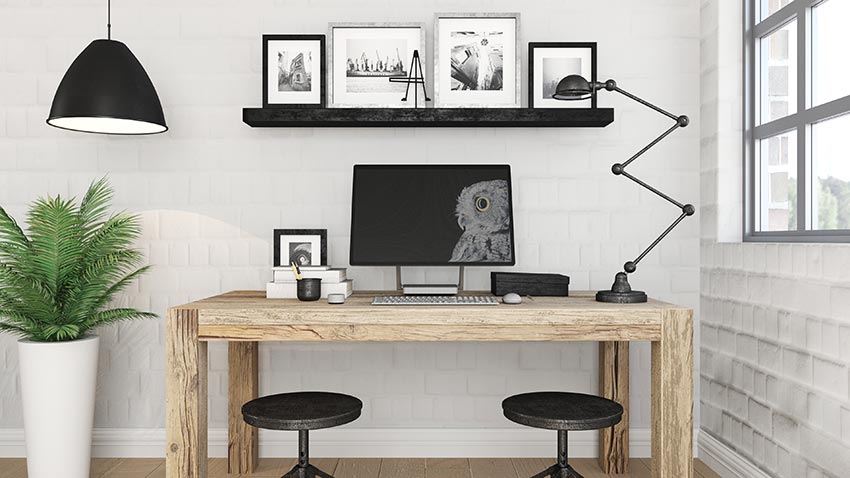
Minimalist home office design inspirations emphasize clean lines, clutter-free spaces, and a neutral color palette. This approach creates a calm, distraction-free environment. Invest in hidden storage, cable management systems, and multi-functional furniture. A floating desk or wall-mounted shelves can save floor space and add elegance.
Incorporating Nature into Your Office Space
Biophilic design is a growing trend in home office design inspirations. It involves integrating natural elements like wood textures, indoor plants, and large windows. Greenery can reduce stress, boost creativity, and purify the air. Even a small succulent on your desk or a nature-inspired wallpaper can uplift the atmosphere.
Color Psychology and Mood Boosting Palettes
Color plays a critical role in home office design inspirations. Blue tones encourage focus, green soothes, and yellow stimulates creativity. Choose a color scheme that reflects the type of work you do. If you work in a creative field, go bold with accent walls or vibrant art. For analytical work, calming neutrals might be best.
Smart Storage Solutions
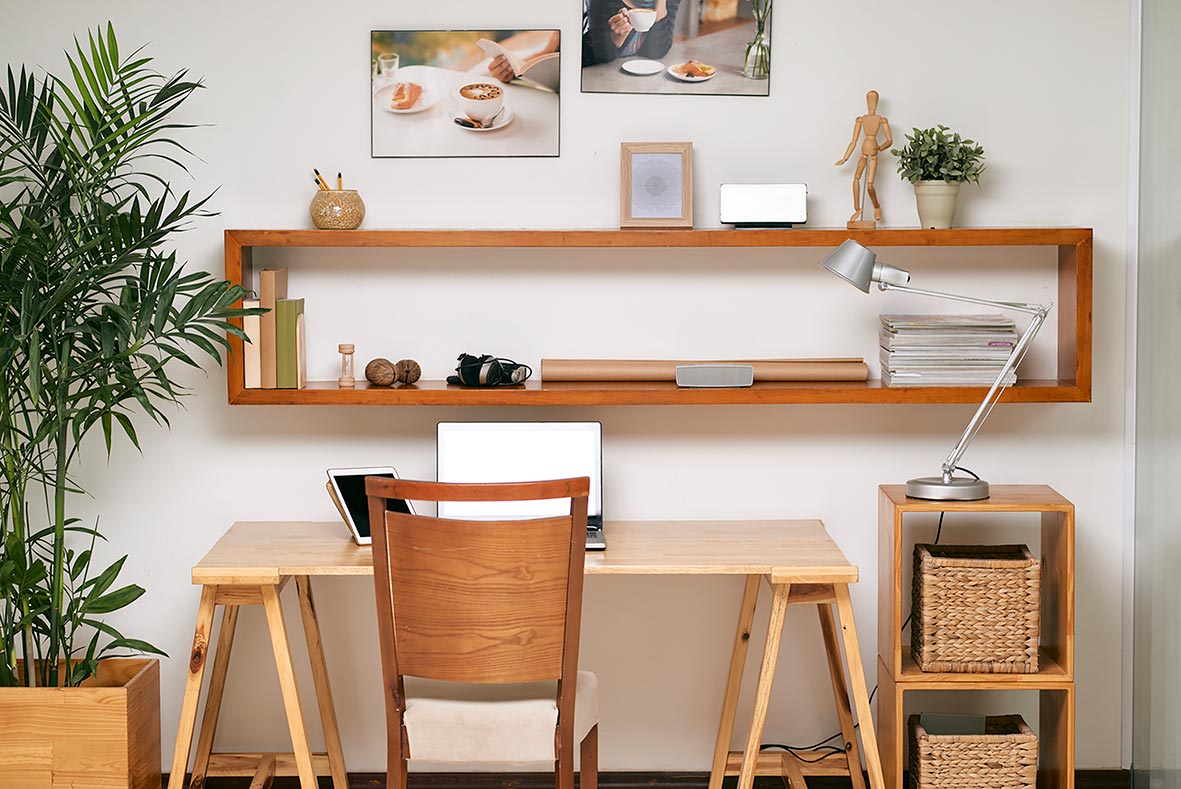
An organized workspace leads to better efficiency. Modern home office design inspirations include floating shelves, vertical storage, under-desk cabinets, and file organizers. Label everything and use decorative baskets or boxes to keep clutter out of sight. Built-in furniture can also help you make the most of limited space.
Personal Touches That Inspire
Adding personal items like artwork, motivational quotes, or souvenirs can make your office more inviting. The best home office design inspirations blend professionalism with personality. Choose décor that reflects your values and style. A gallery wall, a custom mug collection, or a vision board can keep you inspired.
Technology and Ergonomics
A truly functional office considers technology and ergonomics. Use monitor stands, keyboard trays, and footrests for better posture. Ensure your Wi-Fi is strong and uninterrupted. Wireless devices, standing desks, and noise-canceling headphones are common features in modern home office design inspirations.
Multi-purpose Home Office Spaces
If space is limited, design your home office to serve multiple functions. This could include a pull-out desk in a guest room or a foldable workspace in your living area. Smart home office design inspirations can help you balance functionality and flexibility without sacrificing aesthetics.
Lighting Techniques That Work
Good lighting is essential for productivity. Combine ambient, task, and accent lighting to create depth. Pendant lights, LED strips, and smart bulbs can all be used creatively. Some of the most effective home office design inspirations leverage lighting to enhance focus and mood.
If you are remodeling a home office, think about lighting efficiency before the project is finished. ENERGY STAR recommends efficient lighting and controls as part of energy-conscious office design. Planning these elements during the build-out can be more practical than retrofitting them later.
Plan Lighting, Video Calls, and Privacy Before Remodeling
A modern home office often needs to do more than provide a comfortable place to work. It may also function as a space for Zoom meetings, presentations, interviews, client calls, and other professional interactions. That means lighting and room orientation should be considered before the final layout is installed.
Start by looking at where natural light enters the room. A window can provide excellent daytime illumination, but its position relative to your desk and monitor matters. Direct light behind a screen can create glare, while strong backlighting can make video-call images difficult to balance. Positioning the workstation so that daylight comes from the front or side can provide a more flexible setup.
Think about the camera view as part of the room design as well. Before installing shelves, artwork, cabinetry, or decorative features, sit where you normally work and check what the camera actually sees. A clean background does not need to be empty, but it should avoid unnecessary visual clutter and protect information that should remain private.
Privacy should also influence the location of the office within the home. If your work involves confidential conversations, client information, or frequent meetings, placing the workspace next to a busy hallway or shared living area may create unnecessary distractions. During a renovation, consider door placement, sightlines, window coverings, and the relationship between the office and the rest of the house.
Lighting should serve both the person working and the camera. Use a combination of general and task lighting rather than expecting one ceiling fixture to handle every situation. ENERGY STAR also recommends considering efficient lighting as part of home-based workspaces, particularly because lighting, cooling, and computer equipment contribute to the energy use of a home office.
When planning a larger renovation, these decisions are easier and less expensive to address before electrical outlets, lighting fixtures, built-in storage, and wall finishes are finalized. Good home office design therefore considers the workspace as both a physical environment and a professional communication space.
Biophilic design should be treated as more than simply adding a plant to your desk. Research reviews have found evidence that exposure to natural elements in workplace environments can support restorative experiences and reduce work-related stress, although outcomes vary by study and setting. Natural light, views, greenery, and outdoor access can therefore be considered as part of a broader home office design strategy.
Sustainable and Eco-Friendly Design Ideas
As sustainability gains importance, many home office design inspirations focus on eco-friendly choices. Reclaimed wood furniture, energy-efficient lighting, and non-toxic paints are all good options. Supporting local artisans and using vintage pieces can also give your office a unique, environmentally responsible charm.
Build a Home Office That Can Adapt to Your Future Needs
A home office should not be designed only for the way you work today. Technology, work schedules, family needs, and professional responsibilities can change quickly, so a flexible workspace can provide more long-term value than a highly specialized setup.
When planning a renovation, consider where future equipment might be installed. Additional outlets, data connections, flexible lighting controls, and accessible storage can make it easier to upgrade the room without opening walls or replacing finished surfaces later.
Furniture should also support more than one configuration when possible. A desk that can accommodate a laptop today may eventually need to support multiple monitors, a docking station, speakers, or other equipment. Similarly, built-in storage should leave some flexibility instead of being designed entirely around one collection of devices or documents.
Consider how the room could work if your circumstances change. A dedicated office might eventually need to become a guest workspace, study area, creative room, or shared office for two people. Flexible furniture, concealed cable management, adjustable lighting, and adaptable storage can make these transitions easier.
Energy efficiency is another part of future-ready design. ENERGY STAR recommends considering efficient lighting, programmable controls, insulation improvements, and efficient office equipment when planning workspaces. Addressing these elements during a renovation can be more practical than trying to retrofit them later.
The goal is not to predict exactly what your home office will look like five years from now. Instead, create enough flexibility that the room can evolve with your work. A well-planned home office should remain useful even when the technology, furniture, or daily routine changes.
Conclusion: Partnering with Experts for the Perfect Home Office
With so many creative and practical home office design inspirations available, building your ideal workspace has never been easier. From simple upgrades to complete transformations, the key is to create a space that suits your needs and encourages your best work.
If you’re looking to bring your vision to life, consider working with professionals who specialize in home renovations and interior design. Builpire, a trusted name in the industry, offers expert guidance and execution in redesigning home interiors, including custom home office spaces tailored to your lifestyle. Let Builpire help you turn your inspiration into reality.
For more ideas and guidance, follow us on Instagram.
FAQs
What is the best layout for a home office?
The best home office layout depends on how you use the room, but the workstation should generally be organized around your primary tasks. Start by positioning the desk and monitor comfortably, then plan lighting, storage, power access, and movement around that workstation. If you regularly take video calls, also consider what appears behind you and where natural light enters the room. OSHA recommends designing computer workstations around neutral body positions and adjusting components to the individual user rather than relying on a single layout for everyone.
How should I set up my laptop for better ergonomics?
If you use a laptop for extended periods, avoid positioning the screen so low that you must constantly bend your neck forward. A practical solution is to raise the laptop screen to a more comfortable viewing height and use an external keyboard and mouse. This allows the screen and hands to be positioned more independently. OSHA and university ergonomics guidance both recognize that laptop designs can create a compromise between screen height and keyboard position, making external accessories useful for longer work sessions.
Where should I place my desk in relation to a window?
There is no single position that works for every room, but avoid placing the monitor where direct daylight creates strong glare. A window to the side can provide useful natural light while reducing reflections on the screen. If you frequently use video calls, consider how the window affects your face and camera exposure as well. Test the workstation at different times of day before finalizing the layout because daylight changes throughout the day and across seasons.
How can I make a home office look professional on video calls?
Start with the camera position rather than decorating the entire room around the call. Sit at your normal desk position and check what appears in the camera frame. Keep the background intentional and free from unnecessary clutter, while placing your primary light so your face is clearly visible. Shelving, artwork, plants, and cabinetry can add visual structure, but the background should still support the purpose of the room. If privacy matters, avoid displaying confidential documents, personal information, or areas of the home that should not appear on camera.
Should I remodel a room completely to create a home office?
Not always. A complete renovation makes more sense when the existing room has structural, electrical, lighting, storage, or layout limitations that cannot be solved with furniture and smaller upgrades. If the basic room already works, improvements such as better lighting, a more ergonomic workstation, cable management, built-in storage, or improved acoustics may be enough. For a larger renovation, however, planning outlets, lighting, storage, privacy, and future technology at the same time can reduce the need for disruptive changes later.